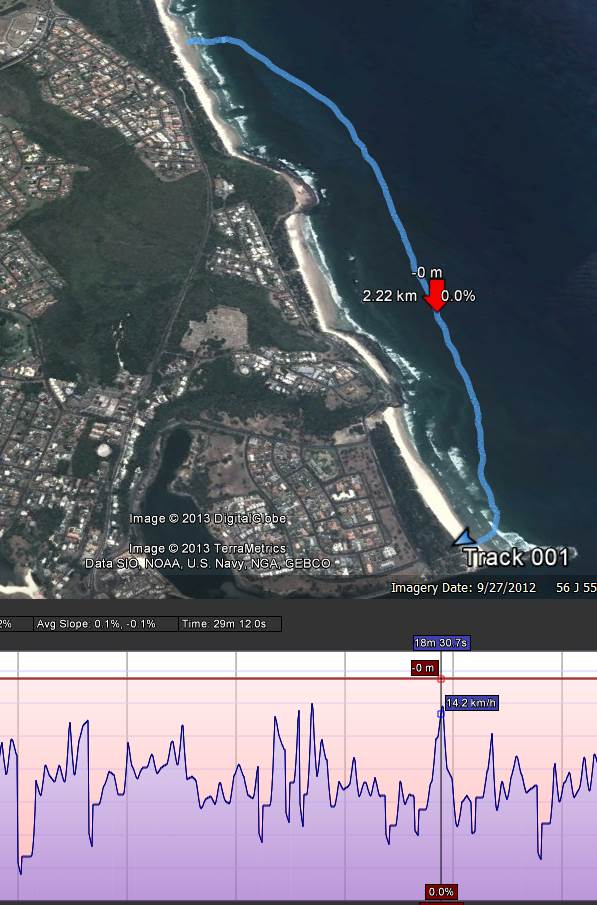
I was playing around with the motion-x app today with the iphone and google earth and found it was possible to get a pretty good view of your instantaneous speed as well as track...
Some of you probably do this all the time, but it was a new one for me. If you don't know how, here's the steps (on a windows computer, mac is probably similar):
On your iphone:
- startup motion-x and start recording a track
- when finished, save track and 'share' it to your email address
On your computer:
- open your email message that motion-x sends
- click view on map link
- a web page will open with your track
- click the download GPX button and save the file somewhere
- Open up google earth
- click file/open then change the filetype to GPS and find your file
- this should then show the track in google earth.
- on the left hand side you should see the name of your track ("GPS Device")
- right click it and 'show elevation profile'
- a time-slider will appear that you can move from start to finish and show speed/altitude/dist travelled etc.
Seems like a lot of steps, but it's a quick and easy way to view your track. The screenshot is from today's short and lazy downwinder... better winds forecast for tomorrow