Hi J
Its been a while since i've used Boardcad.
Spent the last 1000 odd hours in Fin Design Soft/ Numbers looking for the unobtanium speed fin that will work in moderate winds for the aged, infirmed speedsurfers seeking 50 knots over 500 metres.
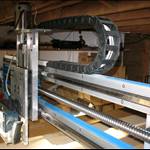
HeHe, CNC machine is about to greet a G10 sheet.
Gestalt said...
Hi Icesurf.
a couple of questions....
were you using version 1.1a? in version 1.1a i've found it very quick to form the shape, check volume distribution etc as you say. the time consuming part is adjusting the curves via the curvature controls which analyse the mesh/curvatures. i'm not sure if early version had this but like rhino it gives a graphical representation of the relationships of the curves for the rail/rocker/outline so that you can adjust the radii and make sure the shape flows and has no bumps etc.
Try & answer your questions without too much detail.
Think the non-cnc boardcad versions worked the best?
After punching the basic numbers into BoardCad for length, width, etc;
> Its quick & easy to manipulate the Bezier curves handlebars for the desired rail/rocker/outline.
> Volume distribution can be done inside "BoardCad" if you know what you looking for.
> BoardCad curvature controls are only good for basic roughing work, wouldn't spend too long there as your design needs to be taken into surface modelling software asap.
> To do this, in BoardCad create a Nurbs Model & then save your design as a "Step File"
> Import the Step File into the Surface modelling soft & you have a nice uniform poly mesh to work with.
> Adjusting the poly surface mesh is easy & quick using the curvature graph to maintain form & too match the perfection you looking for.
> For specific rocker, best to create the rocker in Rhino or xls & adjust the surface mesh to fit the exact rocker profile.
i also wondered what format you sent to the cnc machine? was it gcode or nurbs? nurbs seem inaccurate and require additional 3d editting and additional 3d points to be added beyond the default to ensure a more accurate 3d shape. the gcode 3d models are meant to be an accurate reflection of the design. i am yet to test this but reading through the manual and the boardcad website it suggests gcode for exporting and they have re written the cutter profiles to get better flow also.
My surface modelling software has an axillary CAM package installed to generate the G-codes from the surface mesh, this is powerful software so not too sure how Board Cad can generate G-code while working in the unstable resource hungry Java environment?
As with all software you need to know its limitations & use the best parts.
Slowly has let his famous CAN of wriggly TRUTH worms loose, will address later!

 my next board i managed to swap a board for professional services. other than that i blew my budget on shiny new sails.