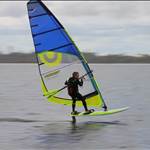
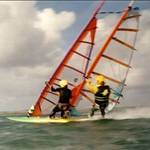
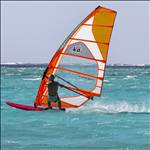
I've got a hero 7 and I am pretty happy with it but I'm considering getting a Hero 9 as they say they have better image stabilising and horizon leveling. My pet hate is sloping horizons..
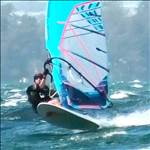
I find if I use the Whizmount in chop the playback can be weird and I find it hard to watch.
See c 2.49 min in the video. it doesn't seem as bad on port tack although it's probably a bit flatter on that tack.
I've experimented with adding stabilisation in editing but that just crops in closer which isn't feasable if you're already very close in.
Anyone used a hero 9 with a Whizmount / back mount in chop and are happy with the stabilisation results?
Got a Hero 9 with the max lens.
Don't use it for windsurfing but for everything else the stability and horizon levelling is so far ahead of any other gopro (or alternative) that I've seen. So I don't see why sailing would be any different.
I find the image stabilization and horizon levelling is unbelievably better than Gopro 7 with software stabilization.
The max lens means you get a wider FOV but then the stabilization and horizon levelling crops it back pretty well to what you'd have without the max lens. Once you set it up with the max lens in max lens mode it really is just on/off ease of use. I never take the max lens off and can't see why you would. Maybe you can't get some of the FPS or resolution or low light settings or something in max lens mode (I don't remember), but pretty sure I run 60fps in 4K all the time and its as good as anything youtube, my tele-screen or my eyes can cope with.
Pretty sure you would be pleasantly surprised just how much better it is. Need the max lens with it though.
I just got (yesterday) the GoPro Max 360. I got it because had a cool dolphin encounter that was only partially captured on my Hero5. Very similar to the Insta 360 but I got it because it was more compact, cheaper, uses all my existing mounts and free next day delivery from Amazon (amazing for Perth). Lots of negative comments and reviews regarding the support and software for the 360 files (including a lengthy thread on Seabreeze) but I found it to be super slick and easy to use at least on a Mac (1 year old MacBook Air). There is a trick though which is strangely not mentioned by Gopro anywhere and that is NOT to import the media via either of GoPro's apps (Quik or Player) but rather instal GoPro Player on the Mac, unload the SD card and mount that on your computer or copy ALL files across. Then double click the x.360 file and the GoPro player app opens and you can the edit away happily. I can't comment on PC/Android but I tried the iPhone version (8) and seemed to be identical to the Mac GoPro player with the added advantage you can tilt/rotate your phone to look around and include those movements in your output file...
In 360 mode in the GoPro app you control the horizon where you want as sometimes you might not want the shot level. In standard Hero mode (where it acts as a normal gopro with either camera) the self levelling and stabilisation looks pretty slick. I tried the spin trick where you throw it up in the air spinning it as much as possible and sure enough the video remained pretty stable. The main downside I can see if you are into real quality is all video output is 1080. For most use for an old git like me that's plenty, recording full 360 deg at all times means you don't need to be looking at what you are filming and can concentrate on sailing etc and look around later. i.e. the 360 camera's eliminate the need for levelling as you can change it all later plus a lot more...since this camera has been out for 2 years now and I just bought it you can be sure Gopro will announce new model shortly with 4k etc.
I took it out on a recon session just 1 hr after receiving it. On the drive in it was in Hero mode and you can see the levelling/stabilisation. In 360 mode I dumbly mounted it to the side of helmet initially which of course blocks some view and makes the stitching between lenses occur on the helmet. I stopped and changed to the top of helmet and the footage is much better other than I got water drops on lens and the wind was non existent. Don't watch expecting a mega windsurf session as was only 9 knots. Editing is more playing with the view angles, panning in and out etc.
Would be much better using a harness mount like Manuel7, don't think I'll pay $200 for a couple of bucks plastic and an old fishing rod though.....looks like another job for the 3D printer...
Sorry been sailing. What quality still shots do both give? I can only process up to 1440 on my current system. No 4k.
Great videos. It looks like the 360 cameras work better with smaller gear. I don't like the way they distort , push everything further away and make a rounded horizon and wake..Manuel , I noticed yours looked more natural. Great sailing! I wish I could sail like that..
Is that fixed in editing or camera?
Keen to hear some Hero 9 feedback as I think I'm heading down that road.
This is someone else but I thought a nice overall view. Personally I stay away from having a piece of equipment hooked on behind my back, I roll around way too much!
I would love to see 3D views from the clew though. I did use a classic go pro for a long time, using the tiny cubic session was a big improvement in terms of footprint and swing weight.
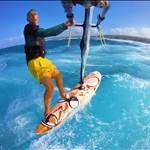
I love the viewpoint of the whizmount especially if it's low as it shows the chop well.I do find it tiring to wear , especially as I wear it over a camelback.
One time I'd been out for 2- 3hrs and the wind came in.I put the whizmount on and the wind dropped. It acted like a sea anchor as I tried to waterstart in the lightwind and I couldn't get started.I felt like I'd get into trouble I was so exhausted.
Luckily I was near a point where someone could take it from me and then I got a gust to get in.
I wish there was a way to remove the pole in standard hero footage.
Select to expand quoteCarantoc said..
Got a Hero 9 with the max lens.
Don't use it for windsurfing but for everything else the stability and horizon levelling is so far ahead of any other gopro (or alternative) that I've seen. So I don't see why sailing would be any different.
I find the image stabilization and horizon levelling is unbelievably better than Gopro 7 with software stabilization.
The max lens means you get a wider FOV but then the stabilization and horizon levelling crops it back pretty well to what you'd have without the max lens. Once you set it up with the max lens in max lens mode it really is just on/off ease of use. I never take the max lens off and can't see why you would. Maybe you can't get some of the FPS or resolution or low light settings or something in max lens mode (I don't remember), but pretty sure I run 60fps in 4K all the time and its as good as anything youtube, my tele-screen or my eyes can cope with.
Pretty sure you would be pleasantly surprised just how much better it is. Need the max lens with it though.
Thanks. I've been busy and this is the first time I read your post properly. It looks like I need to do more research on the options available. I hadn't heard of the max lens..
Select to expand quotesboardcrazy said..
Is that fixed in editing or camera?
Keen to hear some Hero 9 feedback as I think I'm heading down that road.
You fix the "distortion" when you process the files. Essentially all 360 cameras record a 360 degree spherical view. You can then reframe the footage in post by zooming around in the image. At this stage you can also remove the distortion to a certain extend.
From my experience both the GoPro Max as well as the InstaOne create decent 360 footage. I had a number of problems with the instaOne. From the camera overheating to fogging and flares. I didn't like the desktop workflow of the InstaOne either. Worst it's not waterproof without the housing.
The GoPro workflow at least on the Mac side is a little bit more straight forward. The camera quality is ok. Overall though I think there is still room for improvement in the 360 camera market.
The Hero 9 definitely has better image quality compared to the InstaOne 360 and GoPro Max. The inability to reframe after the fact though means you have to get the framing 100% right which can be tricky when mounting to a windsurfer.
Sue I have had the GoPro 9 since it came out about 6 months ago (maybe longer). No 360 lens just the normal GoPro 9. The video quality is outstanding along with the stability and the self levelling horizon make it perfect for windsurfing. No fisheye look either which I am not a fan of.
yes plus 1 for the GoPro 9
the stability is very good,
I was filming one handed while driving the boat.
Select to expand quoteSteve Charles said..
Sue I have had the GoPro 9 since it came out about 6 months ago (maybe longer). No 360 lens just the normal GoPro 9. The video quality is outstanding along with the stability and the self levelling horizon make it perfect for windsurfing. No fisheye look either which I am not a fan of.
No fisheye look either which I am not a fan of.
+ 1  I like to save great quality still shots. I've heard that the hero 9 has better quality still shots than the 360 or other lenses ?
sboardcrazy,
Stills are 5.5MP. 360 photos are captured at 16.6MP. The 360 video's don't have to distort, ...you totally control the view and the horizon bending...the advantage is you can change the frame of the shot after the fact so you don't have to be pointed at the action and its fully stabilised..the 360 videos are recorded in 5.6K and you can view them in that res with the gopro app but the 'output' to the real world is 1080. Here's another clip from 2nd day out with the Max 360. All footage is from the 360 with the exception of my crash. Infinitely better than the Hero 5. I've tried to keep the horizon dead flat and level. This time because conditions were forecast to be epic I wore the 5 on side of helmet and the 360 on top. This was a mistake as the 5 was in the 360's field of view and at the stitch point so it looks weird and I left out a lot of clips because of it. Next time will try on a pole or just ditch the helmet side mount.
Great video! looks like a great spot!
Nice to see a decent clip of Anita for the first time.
I'd love to see what it can come up with with a whizmount type fitting. So still shots from the video are low quality? 5.5mb?
When you straighten the horizon in editing does that push everything further away? If I can only capture in 1440 does that give me enough quality to edit ( remove distortions / crop) and still get 1080 output?
When you import the video the horizon is level. It tilts depending on previous edits but you can control all the time. Only if you zoom out or look up or down the horizon distorts. Zooming in no horizon distort. The good thing is 100% control. Since there is no wind for a while should be able to make up some sort of mount like your Whizzy thing. The 3D printer pumped out a harness prototype but I'm thinking backpack mount like your whiz might be better for access during a session. As for stills from video, no clue as I never use..quick play extracting from video gave horrible distorted images but at 5376x2688...will have a play to work that feature out. Edit: Had better add, it adds a whole extra level of editing as you now can reframe anywhere after the fact instead of just dealing with what you got. Most of the rear facing shots I had no clue the action was behind me until I got home. This is the key advantage of 360 as you won't miss that key moment be it dolphins, rays jumping, birds doing their thing or fellow windsurfer action. Ultimately I think a 360 on a whizzy thing and a helmet mount 9 style would yield the best videos (plus a Skydio 2 drone tagging along).
My computer tech told me I'd need a $2- 2,500 video card to process 4k so it will have to wait. I'll have to stick with 1440 which will restrict editing a bit.
Select to expand quotesboardcrazy said..
My computer tech told me I'd need a $2- 2,500 video card to process 4k so it will have to wait. I'll have to stick with 1440 which will restrict editing a bit.
Or just get a new MacBook Air.
That really is top class video Mr Flex2. Well done on getting all your sailing buddies in there as well, 
Select to expand quotesboardcrazy said..
My computer tech told me I'd need a $2- 2,500 video card to process 4k so it will have to wait. I'll have to stick with 1440 which will restrict editing a bit.
Sue I do 4K GoPro videos on an I7 16gb ram 8 year old laptop, I use smart proxy in my video editor settings, google it.
Someone will correct me if I'm wrong as I'm no expert, but I believe you do not need a $2,000 video card to do 4K without using proxy, you do need a good processor and plenty of ram.
Select to expand quotefiriebob said..sboardcrazy said..
My computer tech told me I'd need a $2- 2,500 video card to process 4k so it will have to wait. I'll have to stick with 1440 which will restrict editing a bit.
Sue I do 4K GoPro videos on an I7 16gb ram 8 year old laptop, I use smart proxy in my video editor settings, google it.
Someone will correct me if I'm wrong as I'm no expert, but I believe you do not need a $2,000 video card to do 4K without using proxy, you do need a good processor and plenty of ram.
I'll have to check it out.
I've got some time to research. I'm hoping for some cash for my birthday ( few months time) to help cover the cost so I'm in no rush to buy.