Time for an update of the switch panel on my TopHat, as heaps of unused switches, wire spaghetti and in poor/hidden cupboard location.
Also adding switches for chart plotter, outside recreational lighting, bilge pump etc
Will move to a new led switchpanel. Want to factor no interference to radios/compasses which are inset up top of eother pic (opp each side of top cabin entry), minimal wire runs, out of weather anything else important
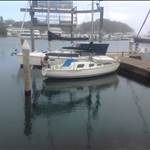
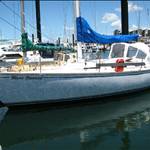
Current setup

Port options

Starboard options

Any suggestions on location and model of switchpanel?
Here you go, switches, fuses, amp and volt meter to starbd, motor switch board to port plus chart plotter and AIS rec with direct power from batteries to prevent motor start overload and shut down.
 switches, fuses, amp and volt meter to starbd [the tag list has not been installed under the switches in this photo.]
 switches, fuses, amp and volt meter to starbd
 motor switch board to port plus chart plotter and AIS rec
SV Seaka, a Mark 1 Top Hat.

You can see the switch board here with the tags in.
All made by me
That's pretty cool NSW, I found it's not that easy to make a panel and keep it that neat!
I bastardised my panel a few times before I was happy with it, and even then it didn't look that good.
Dism, if money isn't an issue, check out Bluesea at Whitworths, really well done but exy.

You may have noticed that I have no indicator lights on the switches.
I did have a commercial panel [from WW] but when we did an assessment of my power consumption
we found that the biggest user were the indicator lights on the panel!!
Having the panel on the std side, inset into the timber panel under the vhf, along with the cigarette lighter charger and USB charger, will lessen any possible interference from charging your phones with the fm band on the music radio on the other side.
BEP make good quality simple panels, without indicator lights and without a hefty price tag.
I reckon blade fuses are better than the glass tube fuses, as they don't rust as much and are easier to check if they've blown.
cheers
Great thread, will watch with interest.
My current spaghetti beats yours 
Currently using MS Visio to map out a new wiring setup so i will steal ideas from this thread with pride.
Select to expand quoteFelixdeCat said..
Great thread, will watch with interest.
My current spaghetti beats yours
Currently using MS Visio to map out a new wiring setup so i will steal ideas from this thread with pride.
Here's my spaghetti 


The secondary panel is under the cockpit, and houses the less used switches: Hot water, windlass, autopilot, water pressure, bilge pump.
Looks a bit like a Clipsal box with switches on it .

btw, if you are wiring up a switch panel, it's a good idea to have any loops of wire drooping below so that any moisture tends to run away from the switches and solder points...
Hi Shaggy, some very neat wiring there and connector boards. Are you using circuit breaker switches?
Any suggestions for us electrically challenged yacht owners and where are you sourcing your parts.

Select to expand quotewhiteout said..


Upgraded mine and rewired the boat while I was at it
G'day Whiteout,
Very cool mate, there's something very satisfying about seeing neatly laid up wiring jobs.
I'm dying to know, how long did it take you?
The reconfiguration of all the wiring took me best part of 3 weeks (every night and all weekend) to rewire all the circuits, then the connections and new equipment took 2 weeks all up cost $4,000 for parts and wire I live on the boat so time is well spent. The original wiring was copper speaker wire that was corroded. and caused equipment failure and a lot of frustration. I changed all the switchboards to BEP and all the gauges to digital as the original charger fried the batteries, New batteries cost $2000 and I have 540Amphr House system and 3 solar panels provide all I need to runthe nav and refrigeration and entertainment systems.
I can believe it. The cost of wiring is scary, I'm in the cabling business, there's just no way you can cut corners on cabling and get a decent outcome. I remember a boat builder saying he was rewriting a 37' powerboat and there was near 200kgs in the cabling and connectors!
Since everyone showing there spaghetti here's mine. Was thinking about replacing switchboard bur after hearing about some of these prices i think I'll just keep cleaning it 
Been away, so keeping an eye on thread ideas but not time for thanks and replies yet.
Definitely link Shauns tophat setup but no time to customise yet so going shop for now.
Liking Blueseas gear (yet cant afford their sexy kit) but back lighting now pretty standard
Lucky enough to sneak into a Whitworths and procure some tasty switch panel upgrade materials.
Starting to get my head around the config, what gear reqd and how/timelength to do job
Picked up these

Think I rig gear up like this

Shaggy and whiteouts setups are schmick and overkill for a tophat but might be able to suss out some cutdown parts of the circuits that suit.
So ive got 2 of those panels above, reckon one on each side of yacht (as per top post spots)?
Select to expand quoteFelixdeCat said..
Great thread, will watch with interest.
My current spaghetti beats yours
Currently using MS Visio to map out a new wiring setup so i will steal ideas from this thread with pride.
Felix - can you share what your ms visio wiring diagram looks like?
Nsw, shaggy and whiteout do you have wiring diagrams to get my head around good ideas?
Select to expand quotedism said..FelixdeCat said..
Great thread, will watch with interest.
My current spaghetti beats yours
Currently using MS Visio to map out a new wiring setup so i will steal ideas from this thread with pride.
Felix - can you share what your ms visio wiring diagram looks like?
Nsw, shaggy and whiteout do you have wiring diagrams to get my head around good ideas?
Gday Dism,
I've got an instrument diagram that's more related to the devices if that's any help, but not a 12vDC bus diagram. Is it the DC side you're looking for, or device interconnects?
Personally I'd try to keep the switch panels together next to each other, otherwise you've got wires going everywhere.
You also save money on busbars, fuse blocks etc, by only having one set of them.
I have two, four gang switch panels they are both on the starboard side but a couple of feet apart, it was a bit of a nuisance to install.
I can't remember to you need a starting battery?, how many house batteries do you have?
Select to expand quotedism said..FelixdeCat said..
Great thread, will watch with interest.
My current spaghetti beats yours
Currently using MS Visio to map out a new wiring setup so i will steal ideas from this thread with pride.
Felix - can you share what your ms visio wiring diagram looks like?
Nsw, shaggy and whiteout do you have wiring diagrams to get my head around good ideas?
I'll get mine off Seaka tomorrow.
Cheers guys. Good idea Bluemoon
Shaggy will only have a dc system via solar, as on mooring, so if have any suitable diagrams keen to see
Basically I need to do a wiring diagram of existing and then a plan for new, so anything that can help get to that point would be handy.
Ie copying segments of other wiring could avoid making fusing/circuit errors or just save spaghetti/cost.
Had a autoelecy finish some elec braking connections on car the other day and was interesting to see smart solution of picking up a positive bus elsewhere to where I was going to connect to (battery).
Just one 105ah agm house battery (no starter as outboard) for now but in a dual battery option setup (via none-1-2-both switch.
Moving 20-40watt solar array via cheap regulator to a 100watt via mppt once do pushpit rail change
Ok be kind........ I only just started drawing it up. Its still messy and it took a while to figure out how to give me curvy lines and to stop "auto joining" stuff that I dont want joined. But I like using Visio cause you can sync the drawing to an excel file so if you update something in either the drawing or excel it will update accordingly. Handy for working out what size wire you need if its going to supply a group of appliances and then you can also record the distances. Also good for recording A/H draw of the different parts of the system to see if it has the right balance of storage and generation for longer trips which I want to do in the future. It has a pretty exhaustive library of icons but you can just use whatever and give it a name.
I have many other projects to do so for now its something to work on during my commute to and from work.
This book from eBay (PBO - a great publication) was a great starting point. Written in plain english for electrical dummies like me.https://www.ebay.com.au/itm/Practical-Boat-Owners-Electrics-Afloat-A-Complete-Step-by-Step-Guide-for/352013379738?ssPageName=STRK%3AMEBIDX%3AIT&_trksid=p2057872.m2749.l2649

Sorry if this is digressing but....
Is it not still handy to have a starter battery even if you have an outboard? (if the outboard is electric start)?
I just have 1 battery at the moment but was going to move to -- > (2 house 1 Start) using the 'add-a-battery' from blue sea:
www.whitworths.com.au/swtch-remote-battery
Seems better than the normal 1-2-off switches cause its idiot proof?
Felix,
Digressions are fun (hope that's ok Dism)! Make sure you think of the input side for batteries as well as output when working out house and start battery circuits.
In other words, will your charging inputs (solar/alternator/dock mains) charge both house and start batteries without humans needing to manually flick switches?
It gets very annoying otherwise...
Can I make a suggestion...you have two switch panels, and just one battery at the moment.
you could get three On-Off switches, and split the loads some things going from one panel and other things from another switch panel. (To a second battery in the future)
With the three On-Off switches you can have everything going off battery one OR battery two OR each switch panel having its own battery, this set-up is very handy if you have a perfectly good battery and want to add a second battery ( it can be a totally different size and type as they are never connected together (although you do have to ensure that manually).
with just one battery you keep "the middle/connecting" switch off, until you add another battery later.
There would be a lot of info on this method on a search. Both panels are still charged via a "duo" regulator, but remain completely separate.
If your going to do it, you might as well to a proper job in the first place, as it's time consuming, even a quick, cheap job will take more time than you think.
cheers
Interesting idea on dual different batteries BlueMoon, I think BlueSeas Add a Battery might do that? www.bluesea.com/products/7650/Add-A-Battery_Kit_-_120A
Shaggy - just solar input, but yeah haven't sussed how regulator will link into system yet...
Felix - your fusebox makes my 40yr old one look brand new!
I grabbed that ebay book cheers.
Researched ms Visio and Smartdraw but ended up starting on old school writing pad (figured learning and paying $100+pa for software will further delay rewire)
Not sure if enough space to put both panels on one side yet and need to build a box for them (access back of panel)- any prefabbed ones available?
Here's a very basic diagram of the K.I.S.S three on/off switches

These basic switches are from BEP and about $40

Or these ones are about $20

The Duo regulators are about $20 or $30 I think from eBay

Cheers