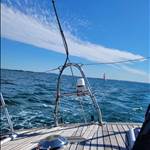
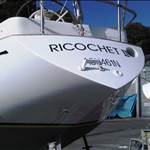
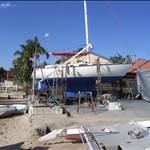
So the new to me trailer sailer I bought (from Vic) has Navionics Southeastern Australia loaded on the little micro SD card and I see no need to update for the areas I frequent around Sydney. The previous owner however did not have North East Australia which I now need. When I plug my little card into my laptop to update via the Navionics app that I have downloaded it doesn't reveal prices for updating but just before the last step does thank goodness warn that existing maps will be wiped before the updates are loaded.
This leaves me with the alternative of buying a North East Queensland card for $190p.a. and swapping cards as necessary rather than buying the whole of Australia card for $380 .
This is all per annum and I understand a few years ago before Garmin bought them out navionics was pretty much free or a token amount. I could use my tablet for which it is cheaper but there is no binnacle on the trailer sailer so the bulkhead mounted 12 inch screen is quite nice and brighter. It's a raymarine plotter.
Is there any good alternative that my Raymarine plotter will read and which I can place on my micro SD card?
Maybe its the Raymarine factor that is adding the expense. As you mentioned Navionics on a tablet is a very reasonable price.
Select to expand quotecammd said..
Maybe its the Raymarine factor that is adding the expense. As you mentioned Navionics on a tablet is a very reasonable price.
Yes that's right but I believe all chartplotters take little cards so they just rip you off for having a chart plotter as opposed to a tablet.
There seem to be other options for tablets on playstore for example Savvy Navvy but I'm not sure of what works on SD cards in plotters.
Select to expand quotejulesmoto said..cammd said..
Maybe its the Raymarine factor that is adding the expense. As you mentioned Navionics on a tablet is a very reasonable price.
Yes that's right but I believe all chartplotters take little cards so they just rip you off for having a chart plotter as opposed to a tablet.
There seem to be other options for tablets on playstore for example Savvy Navvy but I'm not sure of what works on SD cards in plotters.
I was wondering if there is some sort of royalty or license agreement that needs to be paid by Navionics to the company that made the plotter when they sell charts for it. Not sure Navionics is the one doing the ripping off.
Further to what Ramona said. A new feature of the newer Trek Transponders (4G boat alarm/monitor) is that can output NMEA-0183 nav data from its GPS every one second wirelessly (by Bluetooth) for use by OpenCPN. If you plug a Bluetooth wireless dongle into a PC/Laptop/Tablet as Ramona mentioned you can then use OpenCPN anywhere on your boat. ie. At the helm or below if its raining etc. OpenCPN is free, and OpenCPN charts for East Coast Australia are about $60. opencpn.org/ This was brought about by popular request, ie many others don't like being ripped off or navigating in the rain!
Thanks guys but as I said I don't have a binnacle on the trailer sailer and a tablet sliding around in gusts isn't practical. As the chartplotter on the boat is cut into a hole in the coach house rear bulkhead and is reasonably modern with a largish bright screen I was hoping that there would be some solution involving that.
I guess I will just have to put some velcro tape over the front of the chartplotter and then stick the tablet to the same spot temporarily whilst sailing. I don't have a tablet with a really really bright screen so a hood or a new expensive tablet will be required which is also a pain. Might just have to pay Navionics this time.
Perhaps contact boat books or another AHO distributor and inquire if it's possible to run AUS ENCs on the raymarine plotter apparently they can be run on tablet & laptop as well as dedicated electronic chart display units. It still won't be cheap but at least you would have charts fit for navigation, it used to irk me when students would pull out their phone during nav exercises and say but I've got navionics, now I simply reassure them that every time they open the app and press agree to terms they are agreeing not to use it for navigation
Select to expand quotewoko said..
Perhaps contact boat books or another AHO distributor and inquire if it's possible to run AUS ENCs on the raymarine plotter apparently they can be run on tablet & laptop as well as dedicated electronic chart display units. It still won't be cheap but at least you would have charts fit for navigation, it used to irk me when students would pull out their phone during nav exercises and say but I've got navionics, now I simply reassure them that every time they open the app and press agree to terms they are agreeing not to use it for navigation
What would irk you, the phone or Navionics.
Select to expand quotecammd said..woko said..
Perhaps contact boat books or another AHO distributor and inquire if it's possible to run AUS ENCs on the raymarine plotter apparently they can be run on tablet & laptop as well as dedicated electronic chart display units. It still won't be cheap but at least you would have charts fit for navigation, it used to irk me when students would pull out their phone during nav exercises and say but I've got navionics, now I simply reassure them that every time they open the app and press agree to terms they are agreeing not to use it for navigation
What would irk you, the phone or Navionics.
Both
Select to expand quotewoko said..cammd said..woko said..
Perhaps contact boat books or another AHO distributor and inquire if it's possible to run AUS ENCs on the raymarine plotter apparently they can be run on tablet & laptop as well as dedicated electronic chart display units. It still won't be cheap but at least you would have charts fit for navigation, it used to irk me when students would pull out their phone during nav exercises and say but I've got navionics, now I simply reassure them that every time they open the app and press agree to terms they are agreeing not to use it for navigation
What would irk you, the phone or Navionics.
Both
Whats wrong with Navionics compared to other electronic charts, I have downloaded all the AUS ENC vector charts from Ocharts for use with open cpn. The Navionics charts on my tablet ,and phone for that matter, seem more detailed. What don't you like about Navionics.
Select to expand quotecammd said..woko said..cammd said..woko said..
Perhaps contact boat books or another AHO distributor and inquire if it's possible to run AUS ENCs on the raymarine plotter apparently they can be run on tablet & laptop as well as dedicated electronic chart display units. It still won't be cheap but at least you would have charts fit for navigation, it used to irk me when students would pull out their phone during nav exercises and say but I've got navionics, now I simply reassure them that every time they open the app and press agree to terms they are agreeing not to use it for navigation
What would irk you, the phone or Navionics.
Both
Whats wrong with Navionics compared to other electronic charts, I have downloaded all the AUS ENC vector charts from Ocharts for use with open cpn. The Navionics charts on my tablet ,and phone for that matter, seem more detailed. What don't you like about Navionics.
My main bug with navionics is that when you agree to terms it says not to be used for navigation, that being said I've used it and with a few exceptions like a rock being marked where there isn't and some deep soundings being marked a shallow. It's good to reference paper charts at the same time or make a passage plan on paper if navigating unfamiliar waterways and keep a check on the navionics, as it's not for navigation and as such shouldn't be relied on as an aid to paper charts maybe. On the other hand AUS ENC are made by the Australian hydrographers office and during the subscription period they are updated in real time, no need to reference notice to marinas for chart updates. But they still rely on gps signal and battery power. And as for phones, people getting the phone out while someone is endeavouring to communicate face to face that irks me no end
Hi Julesmoto, the fee for Navionics is just to get annual updates, it keeps working after a year. I have a 6 year old copy of navionics on my plotter (I will update soon) and I'm comfortable with that in my known waters. I keep an updated navionics version on a tablet and in addition, I have a current version of Open Cpn on my laptop.
For the convenience factor, you could bite the bullet and get the card you need, but only update it once every 2-5 years or whatever, therefore spreading the initial high cost over a longer period. If you're navigating into new areas, just check and compare the area beforehand against your current tablet app / openCpn or whatever, to ensure there's nothing obviously different.
I don't care for navionics and I'm definitely in the OpenCPN camp but I'm too lazy to start another thread. If your looking for an AIS transponder this unit maybe of interest. I'm. perfectly happy with just an AIS receiver but if you require the full bit this might suit.
shop.openmarine.net/home/15-maiana-ais-base-kit.html
Thanks Ramona, that Maiana is a tidy looking piece of kit, assume just usb module to pc with OpenCPN to nest the AIS data with the map(s)
Select to expand quoteLenn said..
Thanks Ramona, that Maiana is a tidy looking piece of kit, assume just usb module to pc with OpenCPN to nest the AIS data with the map(s)
I reckon there would be info on the OpenCPN forums that would help. I don't need one.
Select to expand quoteRamona said..
I don't care for navionics and I'm definitely in the OpenCPN camp but I'm too lazy to start another thread. If your looking for an AIS transponder this unit maybe of interest. I'm. perfectly happy with just an AIS receiver but if you require the full bit this might suit.
shop.openmarine.net/home/15-maiana-ais-base-kit.html
I've had one of these since they came out - great bit of gear.
I have it connected to my Raymarine plotter with Navionics & also my OpenCPN setup.
I've combined Navionics maps on the Zulu offshore app. Thats a lot of very useful information at your fingertips
Instead of a tablet you could buy an 'Android Auto' unit that designed to go in a car - they are amazing value. They install more neatly in places where CP were previously installed and generally have an external GPS antenna which may be helpful depending on where its installed. Just search ebay for android auto.Navionics (owned by Garmin) is more expensive than others, but the quality of the maps compared to many open source products is chalk and cheese especially for coastal and inland waters where you need accurate water depth. Buying the card version is a one-time cost and you can continue to use that version of the map for years. The subscription model (monthly fee) keeps your maps current and you keep paying and in most cases the waterways dont keep changing.
Yes the Android auto solution sounds interesting thanks. Should work just like a tablet so cheap Navionics. Water resistance and screen brightness would have to be checked for an external bulkhead mount however.
For now however I have just bought a new Navionics card for the TS as the chartplotter is much newer and external bulkhead mounted located unlike in my NS38.
Not exactly on topic but may be a timely reminer to some , pretty sure US $
www.navionics.com/usa/blog/post/boating-app-price-adjustment