Best video settings for Gopro 3 Black

> 10 years ago
Reply
Register to post, see what you've read, and subscribe to topics.
Emanjay
Emanjay
WA
115 posts
WA, 115 posts
3 Mar 2013 1:36pm
Just wondering if anyone can simply explain the best setting for taking the best quality video with the new gopro black. I want to use it on a helmet filming kiting (obviously) and be able will view back on laptop and tv after editing.

There must be about 7896 options for setup which I think is stupid for the average user. The manual doesnt have a nice clean break down for joe average. Needs a "full auto" setting or similar I think....

Cheers for any tips
Beersy
Beersy
TAS
753 posts
TAS, 753 posts
3 Mar 2013 5:25pm
Just put it on its highest resolution and fps. Higher resolution = clearer picture, higher fps equals smoother video.

I think fr memory I used 1920x1080 at 100fps but filmed in irregular format, ie WMA instead of MP4/mpeg... That was on gopro 2. Looked nice played on 40" tv...
Emanjay
Emanjay
WA
115 posts
WA, 115 posts
3 Mar 2013 3:48pm
Thanks beersy, problem is new gopro has 3 higher res settings than 1080 though I don't believe they are ideal for sport/fast moving. Then you can choose different field of view, use 'protune' or not.... If you read articles online they go into all sorts of photo nerd terms and reasons why you should do this or that with the gopro3 but means little to someone that just wants to shoot video and not need to study digital photography for several months
Emanjay
Emanjay
WA
115 posts
WA, 115 posts
3 Mar 2013 5:03pm
yeah thanks will keep that chart handy but still lots of references to roller shutter, sensor noise and aliasing....hmmmm

why doesn't it have a mode for say "sport" which could include all fast moving variable light setups that probably 90% of people buy a gopro for.
Emanjay
Emanjay
WA
115 posts
WA, 115 posts
3 Mar 2013 5:05pm
and that assumes you leave it in ntsc rather than pal.....different framerates available for each. Manual says change to pal for outside north america.
NthScb
NthScb
WA
73 posts
WA, 73 posts
3 Mar 2013 6:40pm
I shot this on the black edition with settings - 720 at 120 fps. Used a helmet for the mount.


deanrobi
deanrobi
VIC
641 posts
VIC, 641 posts
3 Mar 2013 11:39pm
1080 X 30 FPS X W 2.7 X 30 FPS X W both with Protune are my preferred settings. You also need to consider how you are going to view your recordings, not much good recording super high res if you are watching it back on a low end computer or TV monitor. IMO this is where Mac's come into their own.

Use a setting that allows 60 FPS if you are planning to do slow-mo

Also if you are planning to hosts video's sites like YouTube, FaceBook etc use a compression program that reduces during the upload.

Vimeo is the best as your video will be able to be played in 1280x720 (720p)
Emanjay
Emanjay
WA
115 posts
WA, 115 posts
3 Mar 2013 10:25pm
nthscb- nothing wrong with that and if I can get that good a footage straight up I'll be happy...but whats the point of having super duper hd camera and recording in 720? Just thought if it has all this ability why not use it? Not concerned with data storage as clips will be short and have 32gig card. Is the staggering in the slow mo from the editing/compressing or is that how it recorded? I only want to add music, maybe some basic transition effects and jack **** else-what program did you use to edit?

deanrobi-footage will be for myself and will watch on computer and decent large hd tv. Your advice makes me think its just going to be a matter of experimentation-both settings you like are "recommended for tripod or fixed mounting" according to gopro manual....do they consider stuck to a moving humans head as fixed mounting-who knows
Warehouse13
Warehouse13
NSW
185 posts
NSW, 185 posts
4 Mar 2013 7:12am
I have found the 1080 60fps has been my go to setting for any sport stuff. The 1080 gives you high enough definition to watch on anything and the 60fps gives a nice smooth video even when in bumpy conditions.

You've also got to take into consideration how much recording you are going to need to do and how much memory and battery life that is going to use up. It would be lovely to film in 2.7k (4k frame rate is too slow for sport), but the file sizes are huge. Memory capacity is an issue, but so is trying to process and edit the massive files. Higher frame rates will also tend to use up battery more also do to the camera having to write every frame, it's not a linear comparision but when you consider 120fps is going to be writing twice as often as 60fps you can see the battery won't last as long. I have found in my own tests the 720 120fps has used the battery up in significantly less time than the 720 60fps, approx 30-40mins quicker from memory.

So normally I use the 1080 60fps seems to give good all round performance on battery/memory/vid quality.

As a side note, if I know I am going to want to do super slow motion edits and only shooting for a short time than I would use 720 120fps, however if I am wanting a much nice first person perspective the 1440 48fps is what I would use, simply because the 1440 frame size allows a wider capture and you can easily see your hands etc. The 48fps is not quite as smooth as the 60fps obviously but is good enough for most instances.

Just my 2 cents
cel23
cel23
QLD
175 posts
QLD, 175 posts
4 Mar 2013 7:27am
I agree with warehouse on the huge file sizes. No need to go the all-out on the setting, you'll just end up spending so much time rendering and importing and exporting. For general use I'd use 720p with 60fps, which is still HD, that will give you heaps of memory and battery life too! If your doing slo-mo jack it up too 120fps.
NthScb
NthScb
WA
73 posts
WA, 73 posts
4 Mar 2013 8:17am
Emanjay said...
nthscb- nothing wrong with that and if I can get that good a footage straight up I'll be happy...but whats the point of having super duper hd camera and recording in 720? Just thought if it has all this ability why not use it? Not concerned with data storage as clips will be short and have 32gig card. Is the staggering in the slow mo from the editing/compressing or is that how it recorded? I only want to add music, maybe some basic transition effects and jack **** else-what program did you use to edit?

deanrobi-footage will be for myself and will watch on computer and decent large hd tv. Your advice makes me think its just going to be a matter of experimentation-both settings you like are "recommended for tripod or fixed mounting" according to gopro manual....do they consider stuck to a moving humans head as fixed mounting-who knows


As you can see there is no simple answer to your question. You would think that a camera with only two buttons would be straight forward to use but it is the opposite.
I used the 120 fps to stop the jerky footage and staggering in the slow mo. It seemed to work for the jerky footage but there is still some staggering in the slow mo. This is more noticeable when I slowed it down to 25%. I used imove on a Mac to edit the footage. Its good for basic editing.
Emanjay
Emanjay
WA
115 posts
WA, 115 posts
4 Mar 2013 10:34am
Thanks for all that, hadn't started to consider the issues of huge file sizes created and battery use.

Good advice warehouse cheers. Between what you've all suggested I think 1080 60 for general use, 720 120 for slow mo and 720 60 if I want to get maximum battery/memory card economy. That'll keep me busy for a while.

As for editing I'm going to see how much/little the GoPro CineForm Studio can do and go from there. I would have just used windows movie maker but it requires conversion of gopro footage....may still go that way and do something similar to this mountainbikemayhem.com/helm-cam-video/edit-gopro-hd-videos-free-and-easy

I'm not an apple person so if anyone has a suggestion for a simple to use editing program different to above for simple editing love to hear it.
airjunkie
airjunkie
WA
142 posts
WA, 142 posts
4 Mar 2013 11:50am
Emanjay from what you have said that your going to do to the footage editing wise then the advice already given is bang on the money

however if you do decide to play a bit more as time goes on then you might consider going higher resolution for any footage that might be cropped either by choice or by the many image stabilisation options out there. This would enable you to keep a consistent level of resolution throughout the final edit

as for the software i can't reccomend anything basic im guessing the options will be limmited due to the resolution and file type but im not 100% on this

i use sony vegas and have used adobe premiere in the past but these options are neither cheap or basic sorry
Reflex Films
Reflex Films
WA
1460 posts
WA, 1460 posts
4 Mar 2013 11:59am
The dirty secret is that Go Pros are quite useless unless you consider the post side investment as well - you may as well be using a $100 knock off.

720p is more than hi res enough if you are going to web

The xtra frame rates (anything above 25p) are awesome but are a waste of time if you dont have the correct editing software to reconform your 120 fps to play back at 25p - which gives you 5 x slo mo - (1 sec recorded lasts 5 secs on screen)

Imovie and windows movie maker just throw out the extra frames and use 25 p - so you generally wont get to use the frames created to make that beautiful slo mo.
Hence all the crappy slo mo you see on the web with the stuttering frames where people thought they were using the higher frame rates but the free software just ignores the extra frames.

You need final cut x , final cut studio, Premiere Pro etc etc to take advantage - if you dont have these then just shoot at 720 25 p and be done with it. - these more professional packages give you the benefit of being able to work with transcode mastering formats like Pro res

There MAY be a Cineform / Mpeg streamclip workflow to capture and render out reconformed movies - but these workflows often depend on you having the intermediate codecs - which having Final Cut / Premiere gives you.

If all this sounds complex - (it is) - and its the full story that most people dont get when buying a video camera.

Final Cut X is excellent value at around $300 dollars online if you are apple esque.

I had some of the first go pro 2s in Australia (i ordered 4 of them) and have found that over the years i just tend to use them as locked off tripod wide angle timelapse options these days - MOST (but not all) mount shots are a waste of time - - like the nose mount (unless its a SUP where you can get the camera away from the riders feet)or helmet cam (unless you are tracking someone ELSE)


Treat them like a normal video camera and there are tons of options to have fun - i did a trip to Japan where i ONLY used a go pro (amatuer snow boarding action alert)


If you have a steady hand Go Pros are great for hand held dollies / handheld steady cam work as the wide angle tends to iron out the bumps.







Chaps
Chaps
SA
91 posts
SA, 91 posts
4 Mar 2013 2:30pm
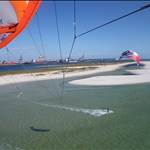
I have been running with 1080-50fps so far and achieved pretty good results. I want to try 2K next, to see what still grabs from video look like.

The attached frame was grabbed from 1080-50fps video, although if your intent is to get a good still from a trick (like the attached) you might want to consider the successive photo's (e.g. 30 photo's in one second) option rather than using video.

deanrobi
deanrobi
VIC
641 posts
VIC, 641 posts
4 Mar 2013 3:12pm
Great post Reflex has answered a few of my questions regarding stuttering on other people's posts. I have been using Final Cut Pro and getting some great slow- mo, especially in the snow.

I have been having a few small issues editing gopro footage on my Mac book air but going to update this week to a more powerful Mac book pro which should help solve the problem.

Cineform is not much good for other than very simple changes to colour etc
Emanjay
Emanjay
WA
115 posts
WA, 115 posts
4 Mar 2013 1:33pm
Thanks reflex...the gopro was a gift for christmas and I suspected I'd be entering a world of pain hence me only starting with it now. I don't want to spend many hours of time, buy a new computer (near new ultrabook would likely struggle with fancy stuff). I'll have a bash with movie maker and see if I enjoy the process and perhaps upgrade/progress from there. Its just for fun so have to keep it in perspective. Realised now that Cineform can't even add music....how hard could it be to add that? So movie maker it is (and of course have to convert first with cineform or mpeg streamclip.....). I'll save the info given here and look back on it a few months.

Hopefully the smartness (good low light performance, generally good looking stuff these things capture) will make the gopro a better option than the elcheapo knockoffs.

Chaps-the setting that takes photos while also shooting video would have to be a good option for what you're talking about-if it takes it right when you want though.
NthScb
NthScb
WA
73 posts
WA, 73 posts
4 Mar 2013 3:18pm
Good post reflex films. I like your comment about the dirty secret - very true.

I just found a video tutorial on how to do slow mo using the free cineform software for GoPro. It utilises the faster frame rates before final editing can be done in imovies etc.
Found here:
Reflex Films
Reflex Films
WA
1460 posts
WA, 1460 posts
7 Mar 2013 11:39am
Here is a great edit showing how go pros are generally best used tracking someone else - makes you want to go snowboarding straight away too


Snowbum
Snowbum
NSW
41 posts
NSW, 41 posts
11 Apr 2013 6:32pm
People buy GoPro because they believe their buying the best.
Simply, GoPro is over hyped and over sold.

GPH3black is designed with pro setting so amateurs buy it thinking they have the best camera, fact - it wont suit 90% of customers needs. I bought one for pro jobs but now wont use it because as a pro camera it doesn't do the job.
For anyone looking to buy GoPro get GPH3silver. (my advice is consider another brand).

All we need for action sports is max 720p and high frame rates. 480p does the job fine but the public are infatuated with HD.
If you insist on HD (whatever HD actually means) and want to crop or stabilise footage shoot on 1080, 960 or 720. If you are terrible with a composition shoot on 2K.

With the GPH3black I shoot 960@50fps. Protune off (so I don't have to fiddle with editing).
I've happily cropped 720p to 576p as a zoom and stabilise function then exported as 1080 with good results on a 50" 1200p 100hz monitor.

But as said don't prefer GoPro.
Please Register, or first...
Topics Subscribe Reply

Return To Classic site 😭
Or... let us know if a problem, so we can tweak! 😅