Seabreeze on your desktop

> 10 years ago
Reply
Register to post, see what you've read, and subscribe to topics.
huabamane
huabamane
19 posts
19 posts
25 Jul 2012 11:52am
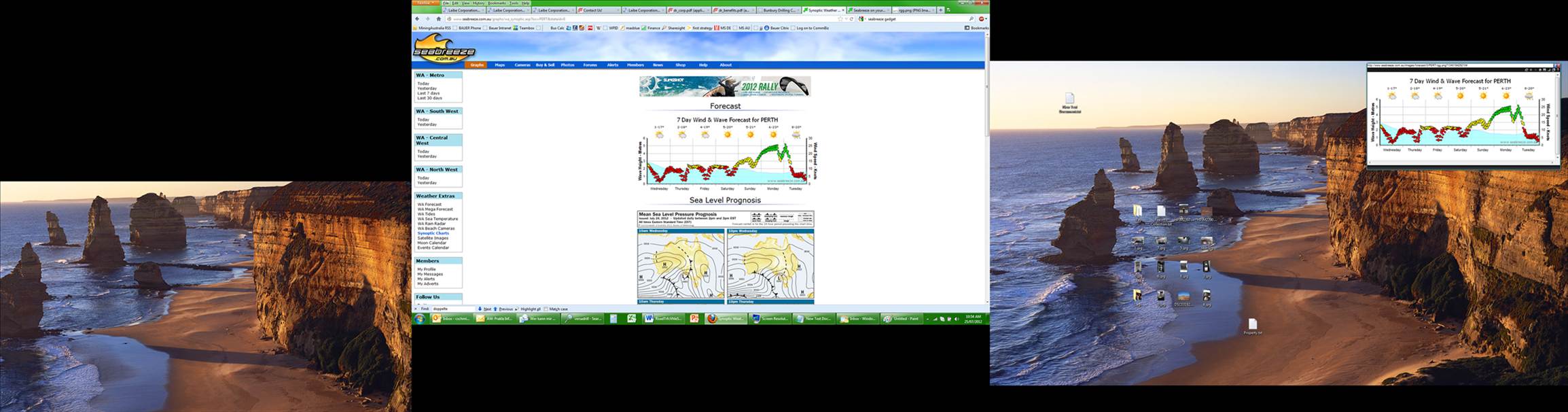
HI, was looking for a solution to have seabreeze on my desktop and saw some ppl tried it could not find a solution on the forum.

This is how I did it:
Get Win 7 Gadget minibrowser 0.7 and load "www.seabreeze.com.au/graphs/wa.asp" for WA.
In the settings set your width of the gadget to about 650 px width and 320 px height.

This gives you the active java function and on refreshing it centers the website where the focus was before.

If you just use the Image Link which for today is:

""


It's a bit neater as it only loads the image, but it might be that the above link is absolute to todays image, haven't tested it for more than one day, will update. also this option is probably not preferred by the seabreeze owners, as no ads will be shown and ultimately this is what keeps the site alive.

Support your supporters!

Cheers,
Chris

Aussiex
Aussiex
QLD
261 posts
QLD, 261 posts
25 Jul 2012 7:06pm
I tried it and it works (havnt tested more then 1 day) but a bit to big from my liking. Takes up most of my desktop. But good find !!!!!!!!!!!
cisco
cisco
QLD
12365 posts
QLD, 12365 posts
25 Jul 2012 10:27pm
I only want Seabreeze when I want it. Not all the time.
huabamane
huabamane
19 posts
19 posts
26 Jul 2012 9:53am
ok, second day now.
The link "" seems to be the right one, as it is now the updated picture of today.
However, seems the gadget itself doesn't like it when the computer goes in "sleep " mode as it didn't respond this morning. had to close and reopen the gadget.
bobajob
bobajob
QLD
1535 posts
QLD, 1535 posts
28 Jul 2012 6:55pm
Hey, what about an app, surley someone can comeup with an app that does this.
Please Register, or first...
Topics Subscribe Reply

Return To Classic site 😭
Or... let us know if a problem, so we can tweak! 😅