Pic

> 10 years ago
Reply
Register to post, see what you've read, and subscribe to topics.
windykid
windykid
QLD
368 posts
QLD, 368 posts
16 Nov 2008 9:31pm
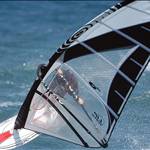
I made this today and i need an idea for the background it looks abit plain
any suggestions welcome.

surfingboyo
surfingboyo
QLD
318 posts
QLD, 318 posts
16 Nov 2008 10:47pm
you have two options.

a) bin it.
b) replace 'wind' with 'kite', and the remove that horrid pic of the sailcraft.
Crash Landing
Crash Landing
NSW
1173 posts
NSW, 1173 posts
17 Nov 2008 9:04am
Looks, good - I like the graphic. Any background that is too busy may make it difficult to read the text.

Have you just tried a black background?
Sailhack
Sailhack
VIC
5000 posts
VIC, 5000 posts
17 Nov 2008 11:00am
Good job windykid.
I agree with Crashlanding, although you could try a late sunset pic over water (I'm a bit partial to the odd sunset, and it should be dark enough to highlight text). If the text doesn't show well enough, try creating a shadow for the text - If using photoshop, copy, move down/right and adjust shadow tone (image>adjustments>levels). From here you can get artistic, and stretch the shadow along the water.....or whatever you want to do.....you're the boss! Make sure you post the finished article when it's done.

stamp
stamp
QLD
2797 posts
QLD, 2797 posts
17 Nov 2008 10:46am
and you spelled "windsuffering" wrong.....
bigmark100
bigmark100
NSW
584 posts
NSW, 584 posts
17 Nov 2008 12:12pm
pic and background nice.
change the colour of the WINDSURFING.
perhaps to white or yellow
windykid
windykid
QLD
368 posts
QLD, 368 posts
17 Nov 2008 4:26pm


changed it a bit at school
windykid
windykid
QLD
368 posts
QLD, 368 posts
17 Nov 2008 4:32pm
Sailhack said...

Good job windykid.
I agree with Crashlanding, although you could try a late sunset pic over water (I'm a bit partial to the odd sunset, and it should be dark enough to highlight text). If the text doesn't show well enough, try creating a shadow for the text - If using photoshop, copy, move down/right and adjust shadow tone (image>adjustments>levels). From here you can get artistic, and stretch the shadow along the water.....or whatever you want to do.....you're the boss! Make sure you post the finished article when it's done.



i was using flash 8 to make it and i just wanted to play aroung with the text masking
Sailhack
Sailhack
VIC
5000 posts
VIC, 5000 posts
17 Nov 2008 6:43pm
Looks good Windykid!

I like the silver/grey gradient background with the highlighted edges & shadow, really gives it depth. What are you gonna use it for? Or are you just experimenting? Keep it up!
evlPanda
evlPanda
NSW
9207 posts
NSW, 9207 posts
17 Nov 2008 7:21pm
Ah right, you've taken the windsurfer from the photo. That's actually quite good.

How long you been doing this? You might be a natural.

The second one is much improved. The only suggestion I'd make is to have the drop shadow a little more subtle, you want a grey (or even juuust indigo) for realism. Add a black, very thin outline around the text to make it stand out. I liked the first cartoon windsurfer better. That's all. Very good.

Maybe, move your harness lines closer together?
Please Register, or first...
Topics Subscribe Reply

Return To Classic site 😭
Or... let us know if a problem, so we can tweak! 😅