Photoshop program?

> 10 years ago
Reply
Register to post, see what you've read, and subscribe to topics.
kite killer
kite killer
NSW
114 posts
NSW, 114 posts
6 Jun 2011 2:16pm
What's a good program?
I've got a few photos that need tweaking. I want to take a few people out change some clours and brush out some tatoos.
cisco
cisco
QLD
12365 posts
QLD, 12365 posts
6 Jun 2011 3:09pm
Try www.irfanview.com and download all plugins too.
Sailhack
Sailhack
VIC
5000 posts
VIC, 5000 posts
6 Jun 2011 3:28pm
I reckon paintshop pro (Corel) is easier to use than photoshop, not as powerful, but will do all that you mentioned.
GalahOnTheBay
GalahOnTheBay
NSW
4188 posts
NSW, 4188 posts
6 Jun 2011 4:55pm
Try GIMP - it's free and very powerful

www.gimp.org/

GIMP is an acronym for GNU Image Manipulation Program. It is a freely distributed program for such tasks as photo retouching, image composition and image authoring.

It has many capabilities. It can be used as a simple paint program, an expert quality photo retouching program, an online batch processing system, a mass production image renderer, an image format converter, etc.
loverboy
loverboy
WA
614 posts
WA, 614 posts
6 Jun 2011 3:02pm
Can Gimp stitch photos together or layer for sequenced shots ?
dinsdale
dinsdale
WA
1227 posts
WA, 1227 posts
6 Jun 2011 3:44pm
loverboy said...
Can Gimp stitch photos together or layer for sequenced shots ?

Yes it can (www.digii.eu/articles/free-panorama-stitching#gimp) but there are a couple of specialised applications out there especially for that purpose. See Hugin (hugin.sourceforge.net/) for instance for one of the best freebies.

The GIMP can do pretty much all that PhotoShop can do - some obscure extra things and some obscure things not there. The GIMP is excellent for batch processing. But, in my opinion it isn't as intuitive to use. They do, however, put out GIMPshop, which is The GIMP but with PhotoShop look-alike menus etc. All the power of The GIMP with the (imo) more intuitive layout. Still free though .

busterwa
busterwa
3782 posts
3782 posts
6 Jun 2011 8:19pm
"watch out this weeks caption comp rofl ;-)
Beersy
Beersy
TAS
753 posts
TAS, 753 posts
6 Jun 2011 11:08pm
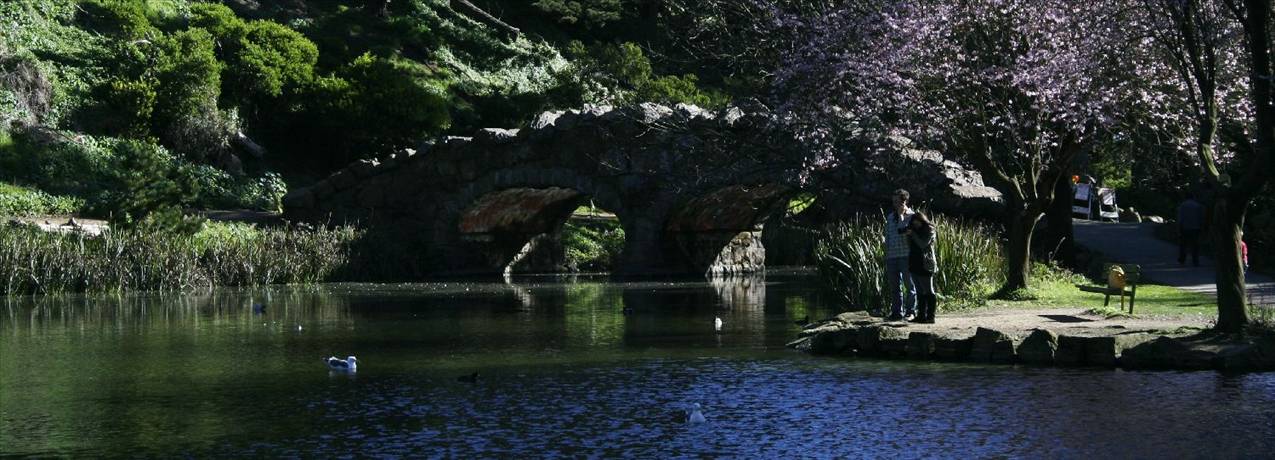
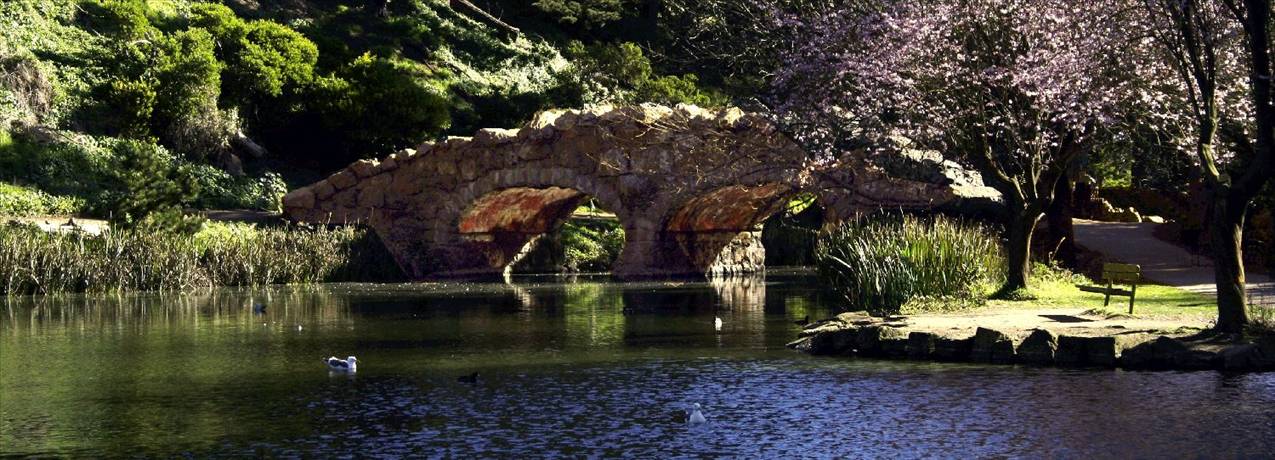
I got arcsoft photostudio recently. Its pretty cheap compared to some programs, I think around $90 I paid. Also really easy to use, this took about 20 minutes of work...
suimike
suimike
QLD
45 posts
QLD, 45 posts
7 Jun 2011 9:45am
Gimp +1

Free and nearly as good as PS. Some things are actually better than PS some are a bit worse. GIMP is probably my most favourite open source program (not a linux user)
Trant
Trant
NSW
601 posts
NSW, 601 posts
7 Jun 2011 10:13am
Gimp +2

Paint.Net is an alternative if you want something that's free, easy to use and slightly less powerful/intimidating than Gimp/Photoshop.
getfunky
getfunky
WA
4485 posts
WA, 4485 posts
9 Jun 2011 5:44pm
Beersy said...

I got arcsoft photostudio recently. Its pretty cheap compared to some programs, I think around $90 I paid. Also really easy to use, this took about 20 minutes of work...


Holy moly! 20 mins?

Care to do a quick run through of the processes you did.

I note you were able to lighten under the bridge etc - but how seperatley from the rest of the pic?

I got a basic Arcsoft package with one of my cameras but haven't gone near it 9or any other software) yet due to lack of time. If it's that capable maybe i will nut up on it.

Cheers.

Kn weird how the peeps disapeared.. Aliens?

decrepit
decrepit
WA
12871 posts
WA, 12871 posts
9 Jun 2011 7:55pm
gimp+3

used it since I went to linux years ago, didn't realise there was a windoze version
Please Register, or first...
Topics Subscribe Reply

Return To Classic site 😭
Or... let us know if a problem, so we can tweak! 😅